An editor and a guide
Build and understand graphs. ComfyUI still runs them.
A desktop tutor for ComfyUI graphs
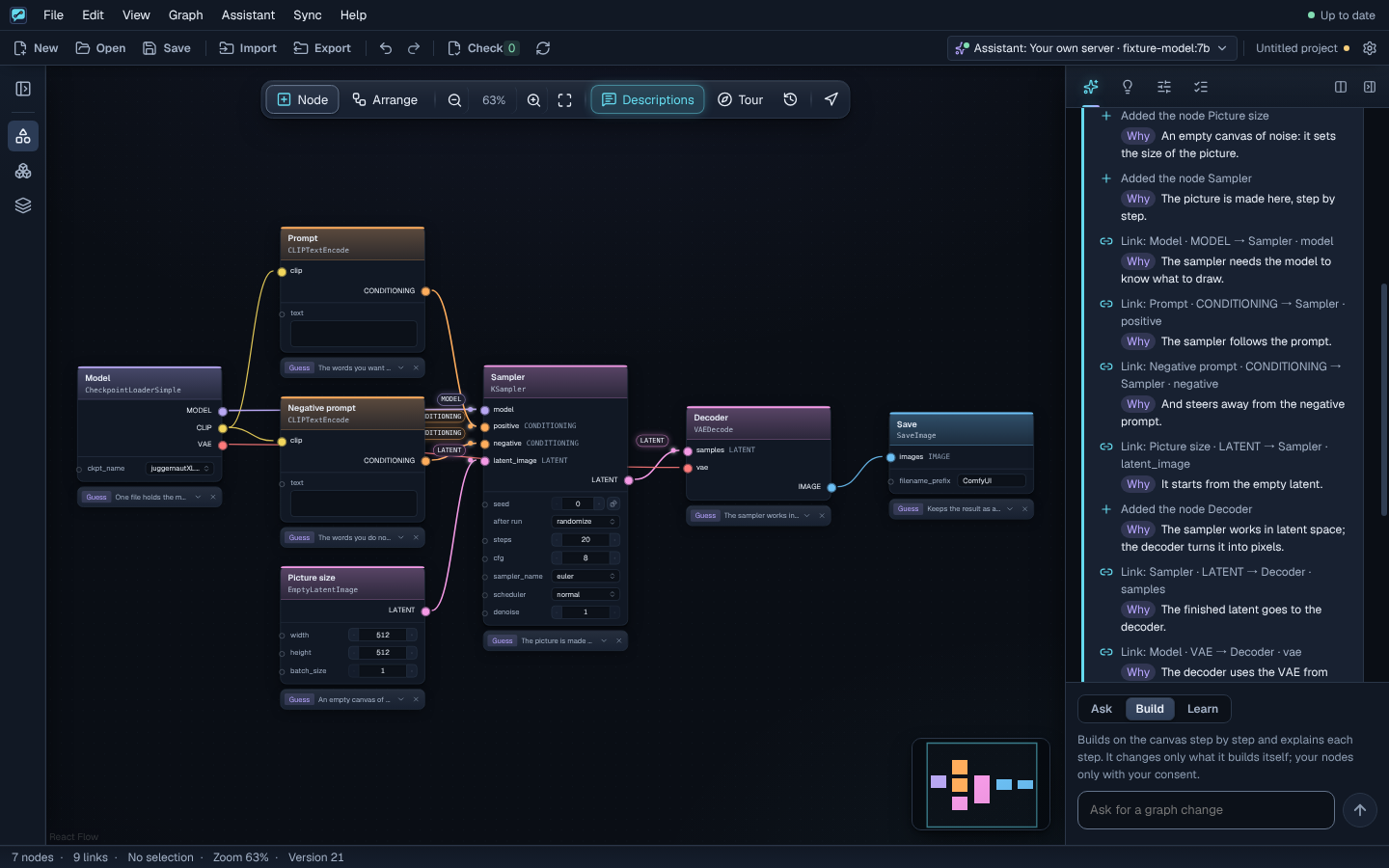
Learn ComfyUI by building real graphs. Understand each node, each link, and why it belongs.
Free. Reads your ComfyUI, never changes it.
No language model needed · Linux x64
A downloaded workflow does not have to stay a mystery. See what each node does and what each link carries.
Skip the graph storyThree ways to work, on the same real canvas.
CLIP clipThe prompt needs CLIP to turn your words into conditioning.
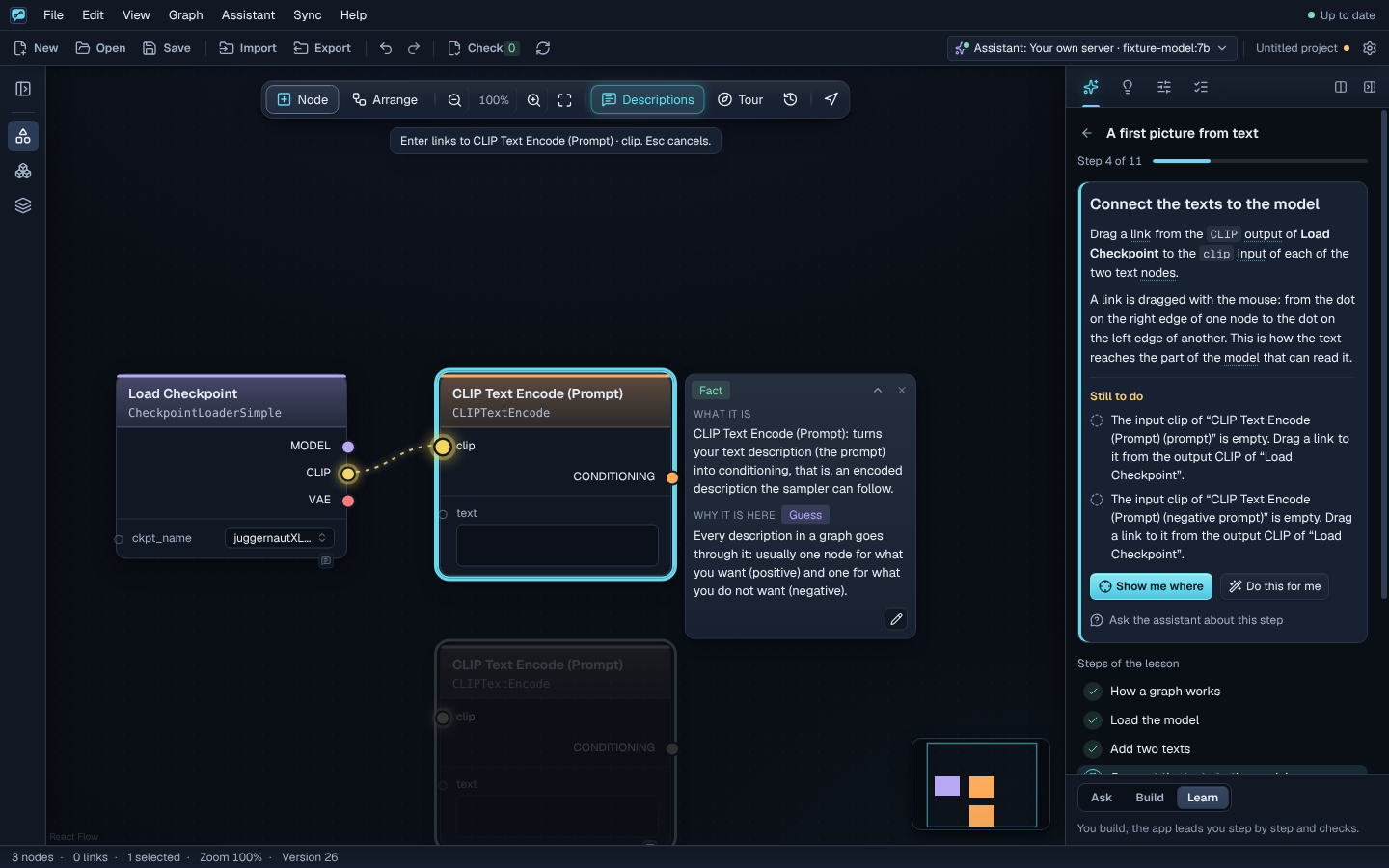
Follow practical lessons on the real canvas. Each step is checked as you build. No language model needed.
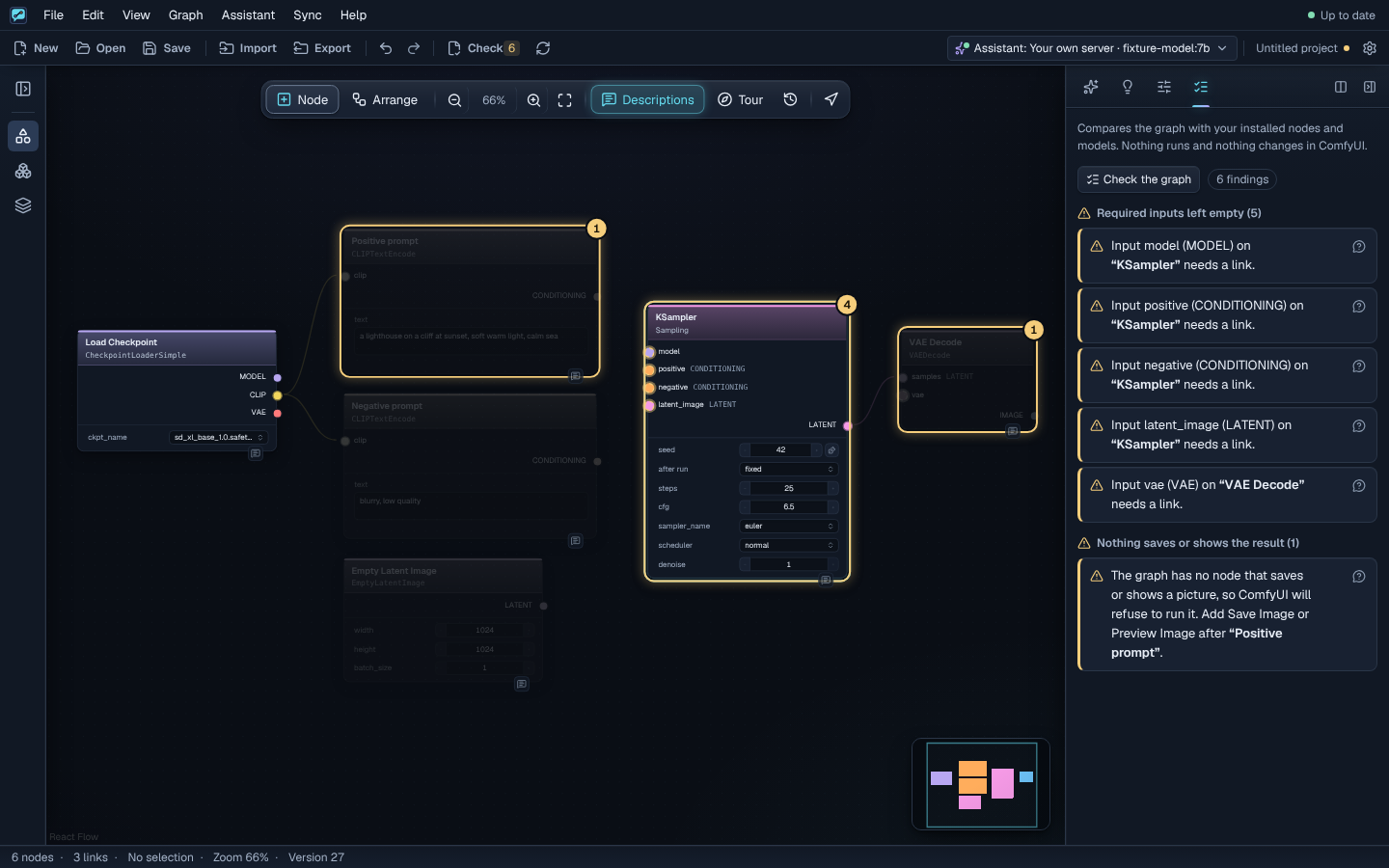
Explore the lessonsNo language model neededCheck the graph before you export. See missing models, incompatible links and unfinished outputs, right where they happen.
A static check is not a run in ComfyUI and cannot guarantee output quality or GPU capacity.Import a workflow and explore it piece by piece. Real fields, typed links, groups and subgraphs stay part of the graph.
See the canvas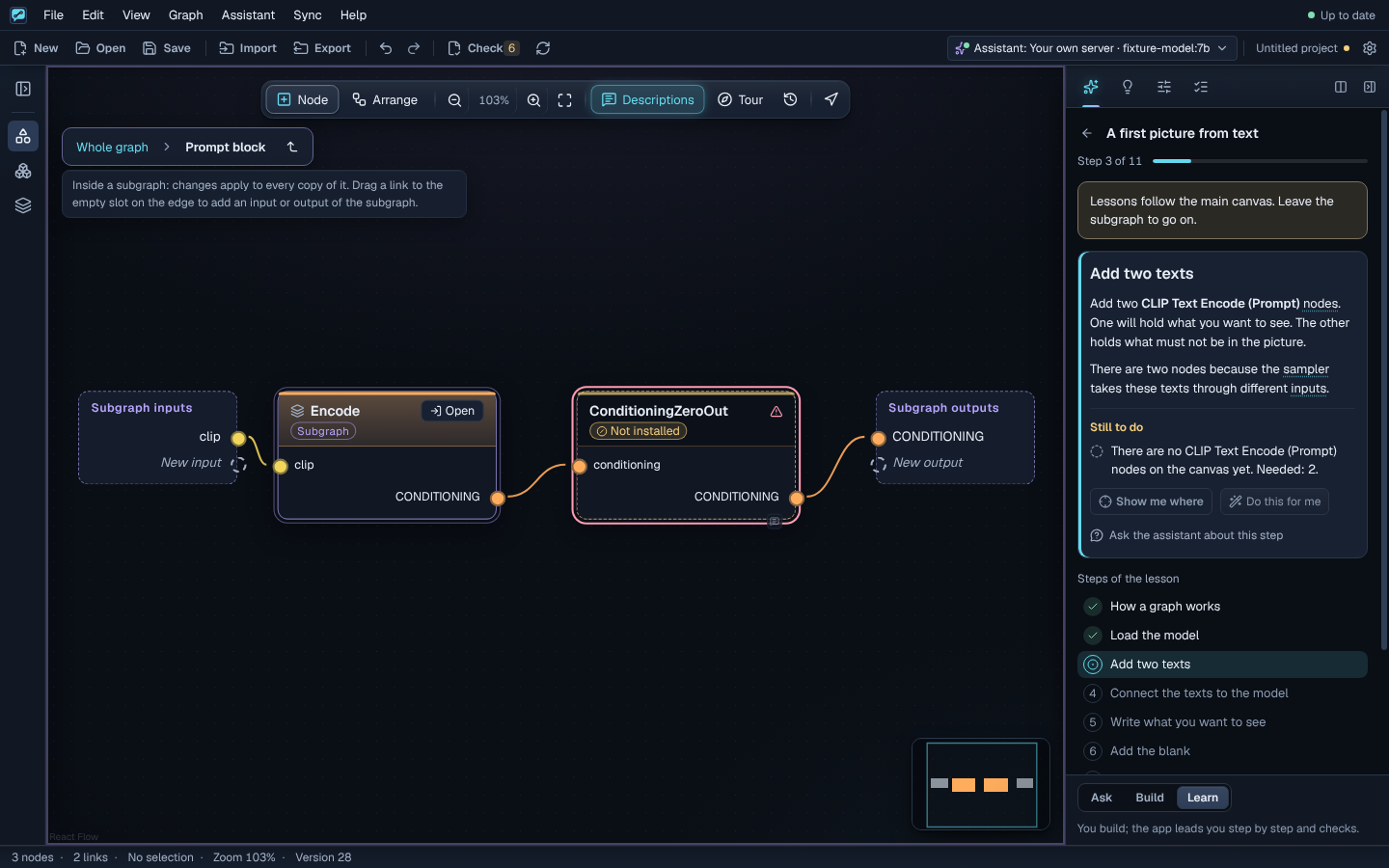
workflow.jsonYou open it in ComfyUIThe app reads your nodes, packs and model files. It does not queue, install, download, delete or change anything in ComfyUI.
Read how it connectsExplore practical lessons by topic. Follow your interest, not a locked course.
Explore the lessonsFor adults (18+)
Screenshots from the application, in English and Russian.
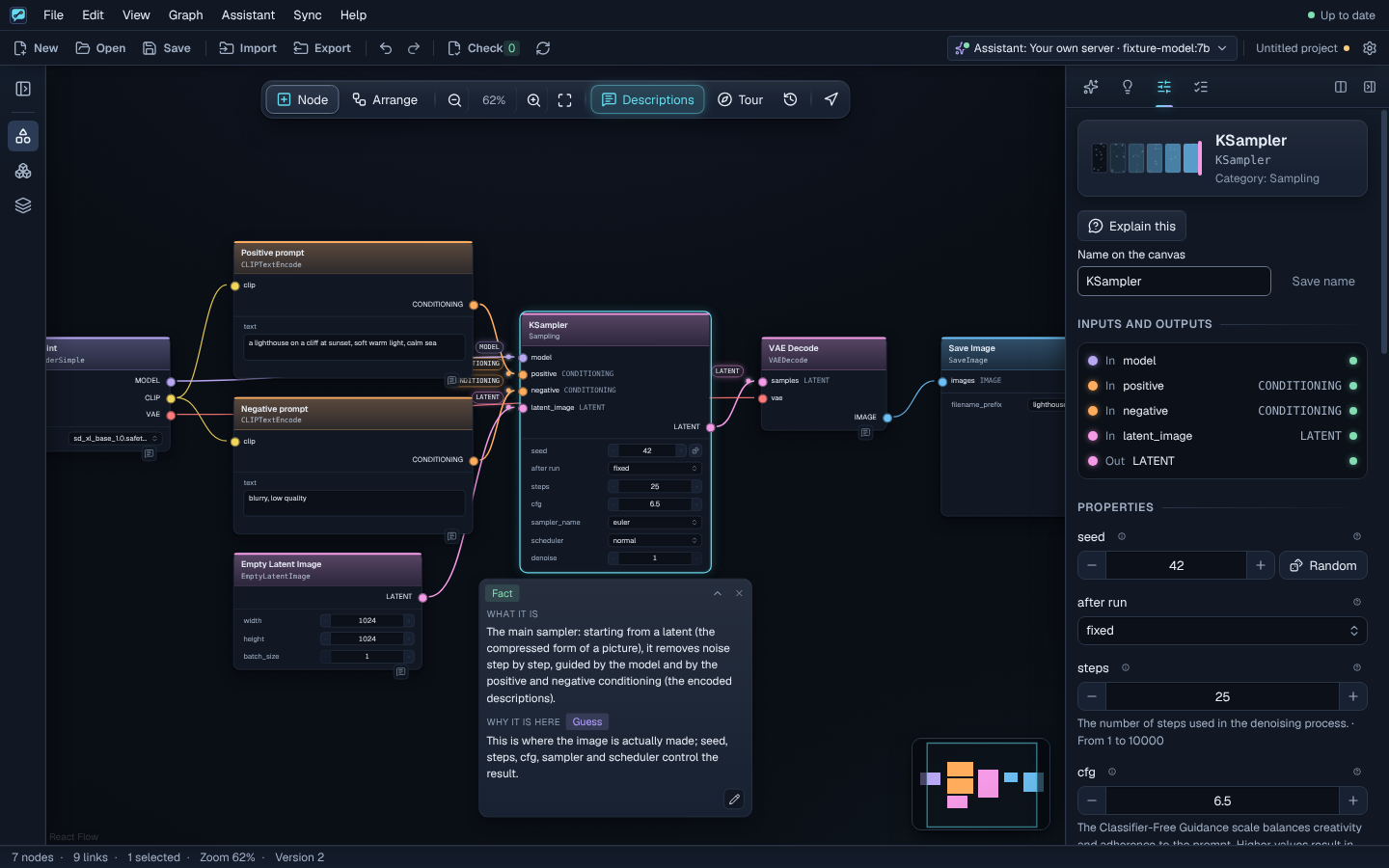
Build and understand graphs. ComfyUI still runs them.
Choose your models and assistant. Accept or reject suggestions.
Linux x64 packages. Windows and macOS builds are untested.
A free desktop tutor. A real canvas. A reason for every step.
Download for LinuxLinux x64 · Free